Transcript Examples: Timestamps, Speaker Labels and Formatting, From a Real AI Transcript
Real transcript examples from one two-speaker recording, with raw AI output, speaker labels, timestamps, timecodes and a video transcript, plus what to fix.
Most transcript examples online show one tidy, hand-typed sample. That doesn't help when your transcript came out of an audio-to-text engine and looks nothing like it. This guide works the other way round. It takes one real machine transcript and shows it in every common layout: the raw output, speaker-labelled dialogue, three timestamp styles, editing timecode and a video transcript. It also counts what the AI got wrong.
The recording behind every example
All the examples use the same 64-second, two-person interview. A podcast host talks to Maya, who runs a small bakery. We made it for our product tutorial from a written script, with two text-to-speech voices. The people are invented. For some of Maya's answers we sped her voice up by 32%, so the recording has a fast talker in it as well.
Because we wrote the script, we know exactly what was said. That's what lets us score the transcript below instead of eyeballing it. We ran the file through ScribeToAny with the language on auto-detect, the Accurate mode and Detect speakers set to two. Everything in the code blocks below is that output, mistakes included. We only changed the layout, never the words.
Example 1: a raw audio-to-text transcript
This is what you get when you copy the transcript with speakers and timestamps switched on. Here are the first ten of its 30 segments:
SPEAKER_00 (0:00) Welcome back to Small Shop Stories.
SPEAKER_00 (0:02) Today I'm talking to Maya, who runs a tiny bakery on the
SPEAKER_00 (0:05) corner of Mill Street.
SPEAKER_01 (0:07) Thanks for having me.
SPEAKER_01 (0:08) It's really small, just two ovens and a counter.
SPEAKER_00 (0:12) So how does a normal day start for you?
SPEAKER_01 (0:15) Honestly, it starts at four in the morning.
SPEAKER_01 (0:17) I switch the ovens on, mix the sourdough, shape the loaves,
SPEAKER_01 (0:19) and by six there's already a queue
SPEAKER_01 (0:21) outside the door.
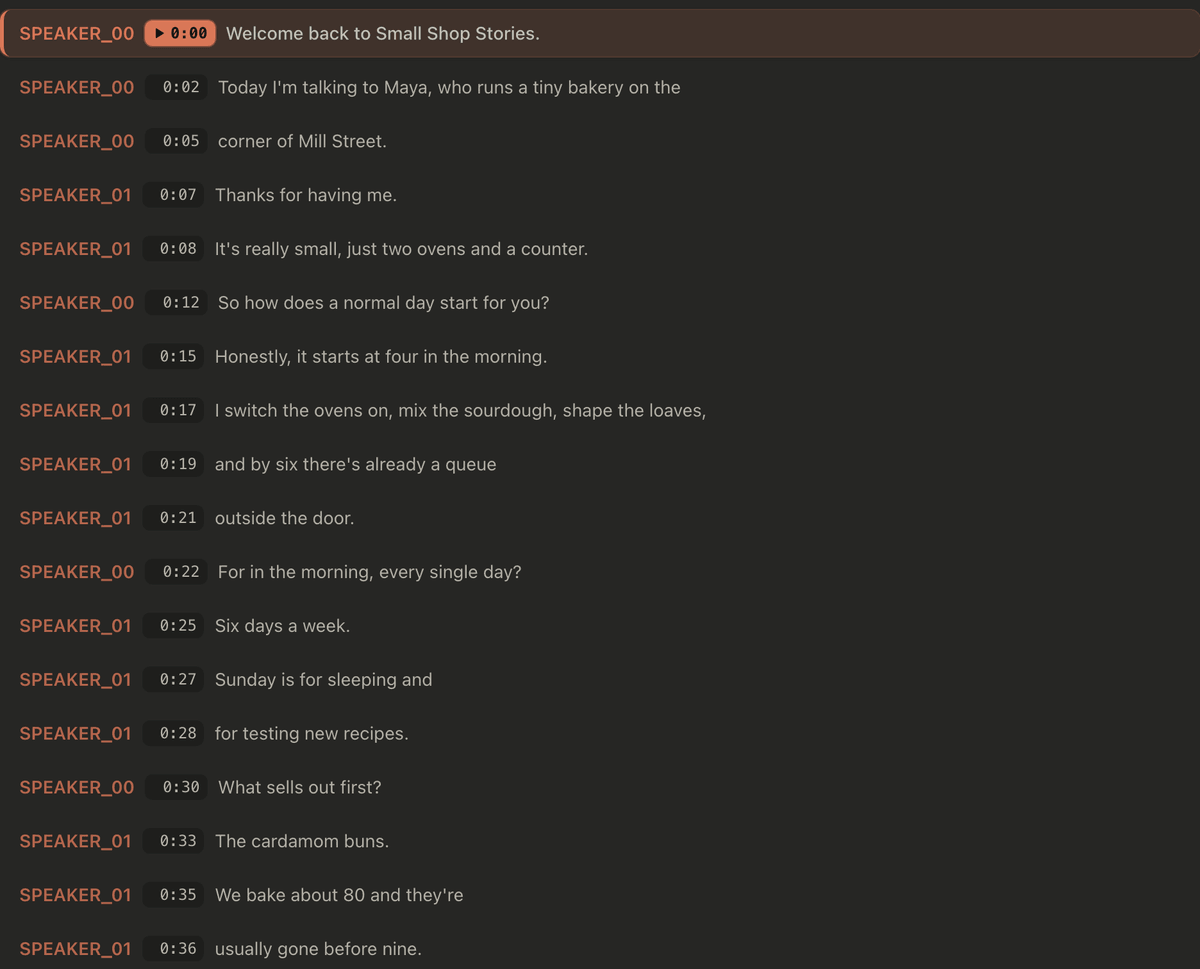
And this is how the same transcript looks in the ScribeToAny editor, where each timestamp replays that moment of the audio:
Two things stand out.
- The speakers have no names. The engine tells voices apart, but it doesn't
know who anyone is.
SPEAKER_00is just "the first voice it heard." Working out who spoke when is called speaker diarization. Putting names on the voices is your job. - Segments are not sentences. The recording has 14 speaker turns, but the transcript has 30 segments. They're short, between 0.5 and 3.2 seconds (half are under 1.5 seconds), and 9 of the 30 stop in the middle of a sentence: "…a tiny bakery on the" / "corner of Mill Street." Segments are cut to fit on screen as subtitles, not to read well as a document. That suits an SRT file. For reading, you'll want Example 2.
What the AI got right, and what it got wrong
Against the script, the transcript scored like this:
| Check | Result |
|---|---|
| Words in the script | 189 |
| Words that differ from the script | 4 |
| Real recognition errors | 2: "Four in the morning" came out as "For in the morning", and "the one thing you'd tell" as "you tell" |
| Style differences, not errors | 2: "eighty" was written as "80", twice |
| Speaker turns labelled correctly | 14 of 14, including the sped-up answers |
| Segments that end mid-sentence | 9 of 30 |
Scored strictly, that's a 2.1% word error rate. If you count "80" as a correct way to write "eighty", it's 1.1%. Don't read too much into this. It's one minute of clean synthetic speech, with no background noise and nobody talking over anyone else. Real recordings do worse, sometimes much worse. See how accurate AI transcription really is. What the test does show is the kind of mistake to look for. Homophones like "for" and "four" sound identical, so only the context gives them away. Small words like "you'd" are easy to miss on a quick read. And style choices, such as digits versus words, are made for you by the engine.
Example 2: a speaker-labelled transcript (dialogue format)
This is the layout most people mean by "transcript". Each speaker turn is one paragraph, and each paragraph starts with a speaker label. To get it from the raw output we did three things:
- Merged each run of segments from the same speaker into one turn.
- Renamed
SPEAKER_00to HOST andSPEAKER_01to MAYA. - Kept one timestamp per turn: the start of its first segment.
[00:00:00] HOST: Welcome back to Small Shop Stories. Today I'm talking to
Maya, who runs a tiny bakery on the corner of Mill Street.

[00:00:07] MAYA: Thanks for having me. It's really small, just two ovens and
a counter.

[00:00:12] HOST: So how does a normal day start for you?

[00:00:15] MAYA: Honestly, it starts at four in the morning. I switch the
ovens on, mix the sourdough, shape the loaves, and by six there's already a
queue outside the door.

[00:00:22] HOST: For in the morning, every single day?

[00:00:25] MAYA: Six days a week. Sunday is for sleeping and for testing new
recipes.

[00:00:30] HOST: What sells out first?

[00:00:33] MAYA: The cardamom buns. We bake about 80 and they're usually
gone before nine.
The words are exactly what the engine wrote, including "For in the morning", which you would correct before using it. Only the line breaks and labels changed. The 30 fragments become 14 readable turns.
Speaker labels in a transcription: which style to use
There's no single standard. What matters is choosing one style and using it the whole way through. Common choices:
| Label style | Looks like | Use it when |
|---|---|---|
| Generic | Speaker 1: Speaker 2: | You don't know the names, or don't need them |
| Full name | MAYA: or Maya Patel: | Podcasts, panels, published interviews |
| Role | Interviewer: Participant: | Research and HR interviews, where roles matter more than names |
| Anonymised code | I: P1: P2: | Qualitative research that must not identify participants |
| Q and A | Q: A: | Two people, strictly question then answer |
A few rules hold for all of them. Use the full label the first time someone
speaks if you'll shorten it later. Never reuse a label for two people. When you
can't tell who's talking, write [unclear speaker] instead of guessing. In
research, the anonymised code is the privacy measure. Keep the key that maps
P1 to a real person separate from the transcripts. For a full research
workflow, see
how to transcribe research interviews.
Example 3: timestamping a transcription, three styles
Timestamps answer the question where in the recording is this? How many you need depends on what you'll do with the transcript.
Per segment. One time for every line, as in Example 1. It's the densest style. It's good for checking the transcript against the audio line by line, and it's what subtitle files need. As a document, it's too busy to read.
Per speaker turn. One time at the start of each turn, as in Example 2. This is the usual choice for interviews, meetings and podcasts. When you want to quote someone, you can still find the exact moment.
At fixed intervals. A marker every 30 seconds, every minute or every five minutes, dropped into continuous text. This suits long, mostly one-speaker recordings such as lectures and sermons. Here's our interview with a marker every 30 seconds:
[00:00:00] HOST: Welcome back to Small Shop Stories. Today I'm talking to
Maya, who runs a tiny bakery on the corner of Mill Street. MAYA: Thanks for
having me. It's really small, just two ovens and a counter. HOST: So how
does a normal day start for you? MAYA: Honestly, it starts at four in the
morning. […] HOST: For in the morning, every single day? MAYA: Six days a
week. Sunday is for sleeping and for testing new recipes.

[00:00:30] HOST: What sells out first? MAYA: The cardamom buns. […]
Two practical notes. A transcript timestamp points to the start of the
words it's attached to, so seeking there plays them from the beginning. And
[00:00:30] (hours:minutes:seconds) is clearer than [0:30] once a recording
runs past an hour. Choose the long form if there's any chance it will.
Example 4: timecode, from transcript to subtitles and video editing
"Timecode" means the same moment written to a different precision. Here's the start of Maya's first line, which the engine placed at 7.27 seconds, in each format you're likely to meet:
| Where it's used | Format | The 7.27-second mark |
|---|---|---|
| Transcript, reading | HH:MM:SS | 00:00:07 |
| SRT subtitles | HH:MM:SS,mmm (comma) | 00:00:07,270 |
| WebVTT subtitles | HH:MM:SS.mmm (dot) | 00:00:07.270 |
| Video editor, 25 fps | HH:MM:SS:FF (frames) | 00:00:07:06 |
| Video editor, 30 fps | HH:MM:SS:FF (frames) | 00:00:07:08 |
The first three count milliseconds. The last two count frames, and that's
where hand-made conversions go wrong. At 25 frames per second, 0.27 seconds
is frame 6 (0.27 × 25 = 6.75, rounded down). At 30 fps, it's frame 8.
Editors working at 29.97 fps often use drop-frame timecode, written with a
semicolon before the frames. It skips some frame numbers so that the clock
stays in step with real time: the frame after 00:00:59;29 is 00:01:00;02. If the timecode is for an
editor, ask which frame rate they're using. Don't assume.
Here are the same opening seconds as an SRT file:
1
00:00:00,000 --> 00:00:01,680
[SPEAKER_00] Welcome back to Small Shop Stories.

2
00:00:02,160 --> 00:00:05,320
[SPEAKER_00] Today I'm talking to Maya, who runs a tiny bakery on the

3
00:00:05,320 --> 00:00:06,320
[SPEAKER_00] corner of Mill Street.
Note the comma before the milliseconds. That's SRT. WebVTT uses a dot. For the full format reference, see subtitle and transcript file formats.
Example 5: a video transcript
An audio transcript records what was said. A video transcript should also record what was shown, whenever the picture carries meaning the words don't. Think of a title card, a chart, or a click the narrator doesn't describe. The W3C accessibility guidelines call this a descriptive transcript. It's what a deaf-blind user reads on a braille display, and it's what search engines and AI tools can quote, because they can't watch the video.
Here are the first 15 seconds of our own product tutorial. The narration comes from its subtitle file. We wrote the bracketed notes from the video's frames.
[00:00:00] [Title card: "How to use ScribeToAny. Transcript · subtitles ·
translation, step by step", over the dimmed homepage]

NARRATOR: Here's how to use ScribeToAny, step by step: from a recording to a
transcript, subtitles and a translation.

[00:00:05] [The homepage. Headline: "Turn any audio or video into text, then
into 134+ languages"]

[00:00:08] NARRATOR: Go to scribetoany.com and click "Start transcribing
free".

[00:00:13] [The "Create an account" form, with name, email and password
fields. The cursor rests on "Sign in with Google".]

NARRATOR: Sign up with Google, or with your email.
How to write the descriptions:
- Describe only what matters for understanding. "The cursor rests on 'Sign in with Google'" helps. "The background is dark grey" doesn't.
- Copy on-screen text word for word, in quotes. Viewers may search for it.
- Mark sounds that carry meaning:
[music],[laughter],[phone rings]. This is also what turns subtitles into captions. See captions vs. subtitles.
Speech recognition only hears the soundtrack. In a video transcript the narration can be automatic, but the bracketed descriptions are always written by a person.
Verbatim vs. clean verbatim
How faithfully should a transcript keep "um", false starts and repeats? There are two standard answers:
- Verbatim keeps everything: fillers, stutters, false starts,
[pause]marks. Use it for legal and evidence work, and for research where how something was said matters. - Clean verbatim removes the noise but keeps the meaning and the speaker's own words. It's the default for interviews, podcasts, meetings and anything you'll publish.
Our test recording can't show the difference, because text-to-speech voices don't hesitate. So here's a made-up line for illustration:
Verbatim:        So, um, I— I switch the, uh, the ovens on at, like, four.
Clean verbatim:  So I switch the ovens on at four.
Whisper-family engines, ours included, tend to write something close to clean verbatim. Many fillers and false starts never reach the text. If you need true verbatim, plan to add them back by hand while listening.
Style decisions the AI makes for you
Look again at "We bake about 80". The script said "eighty", and the engine chose digits. That's not a mistake, but it is a style decision, and you'll find a lot of them in an AI transcript:
- Numbers: digits or words ("80" or "eighty"), and times ("four in the morning" or "4 a.m.").
- Punctuation: where sentences end, which affects how quotes read.
- Spelling: US or UK English ("color" or "colour"), and how names and brands are written.
No rule is right everywhere. Publications and research teams each have their own style guides. What matters is consistency: decide once, then fix the exceptions with find-and-replace. Don't fix them one by one as you go.
How to get these formats from your own recording
- Upload the audio or video to the audio-to-text or video-to-text tool. For more than one voice, open the extra settings and tick Detect speakers.
- Check the transcript against the audio. Clicking a timestamp replays that moment, and clicking a line lets you fix a word. That's how you'd catch "For in the morning" and correct it to "Four".
- Copy or export with speakers and timestamps on or off. Use TXT, DOCX or PDF to read, SRT or VTT for subtitles, and TSV, CSV or JSON for analysis.
- In your document, replace
SPEAKER_00andSPEAKER_01with real names or codes, and merge the short segments into turns where you want the dialogue layout from Example 2.
A transcript is the same timed words laid out for different jobs. You can play it back segment by segment, read it as dialogue, scan it by timestamp, cut video to it, or read it as text in place of the video. Start from the raw output, choose the layout your reader needs, and check the small words. Try it on your own recording with the interview transcription tool.